

OnPage SEO Checklist for Beginners: Complete Step-by-Step Guide
1. Introduction: Why On-Page SEO Matters
Search engine optimization (SEO) is the cornerstone of any successful website. Within SEO, On-Page SEO refers to the practice of optimizing individual web pages to rank higher in search engines and attract more relevant traffic. Unlike Off-Page SEO, which focuses on backlinks and social signals, On-Page SEO gives you direct control over your website’s content and structure.
For beginners, understanding and applying On-Page SEO can seem overwhelming. There are countless elements to consider—keywords, headings, URLs, images, links—but following a clear checklist ensures nothing is missed. A properly optimized page not only ranks better but also provides a better user experience, which ultimately increases engagement and conversions.
In this guide, we will cover everything a beginner needs to know about On-Page SEO, step by step. By the end, you’ll have a practical checklist to apply to your own website, ensuring your content is search-engine-friendly and user-focused.
2. Keyword Research Basics
2.1 What Are Keywords?
Keywords are the words and phrases people type into search engines to find information. They act as a bridge between your content and your audience. Choosing the right keywords ensures your content appears for the queries your target audience is actually searching for.
For example, if you run a website about skincare, potential keywords might include:
- “best skincare routine for acne”
- “how to reduce wrinkles naturally”
- “daily skincare tips for beginners”
These are the terms your audience is actively searching for, so your content should aim to address these queries.
2.2 Understanding Search Intent
Search intent is the underlying purpose behind a user’s query. There are three main types:
- Informational Intent – The user wants to learn something (e.g., “what is On-Page SEO”).
- Navigational Intent – The user is looking for a specific website or page (e.g., “SEO checklist blog”).
- Transactional Intent – The user wants to take action, such as making a purchase or signing up (e.g., “buy SEO course online”).
Understanding intent is critical because search engines rank pages that best match what users are looking for. Creating content that aligns with intent increases the likelihood of higher rankings and clicks.
2.3 Finding the Right Keywords
Keyword research begins with identifying topics your audience cares about. Start by:
- Brainstorming Topics: Think about questions your audience might have.
- Using Keyword Phrases: Include both short-tail (1–2 words) and long-tail (3+ words) keywords. Long-tail keywords often have less competition and higher conversion potential.
- Analyzing Competitors: Look at what keywords similar pages rank for, and identify gaps your content can fill.
Remember, the goal is not just to rank for any keyword but for the ones that will bring qualified traffic to your site.
2.4 Keyword Placement Strategy
Once you have your keywords, placement is key. Include them in:
- Title Tags – Your primary keyword should appear near the beginning.
- Headings – Use H1 for the main topic and H2/H3 for subtopics with secondary keywords.
- Body Content – Naturally weave keywords into your paragraphs; avoid overstuffing.
- URLs – Incorporate the main keyword in the page URL for clarity.
- Meta Descriptions & Alt Text – Ensure keywords appear naturally in descriptions and image tags.
The focus should always be readability first. A well-written page naturally incorporates keywords without feeling forced.
3. Title and Meta Description Optimization
3.1 Writing SEO-Friendly Titles
The title is the first thing users see in search results. It tells both search engines and visitors what your page is about. An SEO-friendly title should:
- Include the primary keyword
- Be compelling to encourage clicks
- Be concise and clear
For example: “On-Page SEO Checklist for Beginners: Step-by-Step Guide” is clear, includes a keyword, and signals value.
3.2 Ideal Title Length
Titles should be 50–60 characters to avoid being truncated in search results. Keep the core keyword at the start and make the title informative yet engaging.
3.3 Writing Effective Meta Descriptions
Meta descriptions are brief summaries shown below your title in search results. They don’t directly affect rankings but influence click-through rates. A good meta description should:
- Include the primary keyword naturally
- Be around 150–160 characters
- Explain the benefit or value of the page
Example:
“Learn the ultimate On-Page SEO checklist for beginners. Optimize your content, URLs, and images to boost search engine rankings.”
3.4 Best Practices for Meta Descriptions
- Avoid duplicate meta descriptions across pages
- Make them actionable: include words like “learn,” “discover,” or “step-by-step”
- Keep them readable and enticing, not spammy
4. SEO-Friendly URL Structure
4.1 Why URLs Matter for SEO
URLs are not just addresses—they are signals to search engines and users. A clean, descriptive URL improves user experience and increases the chance of ranking higher.
4.2 Characteristics of a Good URL
- Short and easy to read
- Includes primary keyword
- Uses hyphens to separate words, not underscores
Example:
www.example.com/on-page-seo-checklist
4.3 URL Best Practices
- Avoid unnecessary parameters or numbers
- Keep hierarchy logical (categories → subcategories → page)
- Maintain consistency across the site
5. Internal Linking Strategy
5.1 What Is Internal Linking?
Internal links are hyperlinks that connect one page of your website to another. They help both users and search engines navigate your site efficiently.
5.2 Benefits of Internal Links
- Distribute page authority across the website
- Help search engines understand your site structure
- Improve user engagement by guiding them to related content
5.3 How to Use Internal Links Effectively
- Link naturally to relevant pages
- Use descriptive anchor text rather than “click here”
- Avoid overlinking; too many links can dilute value
Example:
“When optimizing your site, also check our SEO content creation tips page for more strategies.”
6. Image Optimization for SEO
6.1 Why Images Need Optimization
Images enhance user experience but can slow down page speed if unoptimized. Optimized images improve load times, accessibility, and SEO.
6.2 Using Descriptive File Names
Rename images to describe their content. Instead of IMG_1234.jpg, use on-page-seo-checklist.jpg.
6.3 Writing Alt Text for Images
Alt text improves accessibility and helps search engines understand image content. Include relevant keywords naturally.
Example:
Alt: On-Page SEO checklist displayed on a laptop screen
6.4 Image Size and Performance
- Compress images without losing quality
- Use appropriate formats (JPEG for photos, PNG for graphics)
- Aim for under 100 KB when possible
7. Content Quality and Readability
7.1 Creating Valuable Content
Search engines reward content that solves user problems. Make your content actionable, informative, and unique.
7.2 Content Length and Depth
Longer, comprehensive content tends to perform better. Cover all aspects of a topic while maintaining clarity. For beginners, breaking content into digestible sections is key.
7.3 Using Proper Headings
Headings (H1, H2, H3) improve readability and help search engines understand content hierarchy. Use headings to structure content logically.
7.4 Readability and User Experience
- Use short sentences and paragraphs
- Include bullet points and lists
- Highlight important information with bold text
- Maintain conversational tone where appropriate
8. Bonus On-Page SEO Tips
- Optimize heading structure – H1 for main title, H2 for sections, H3 for subsections
- Improve page speed – compress images, enable caching
- Ensure mobile friendliness – most users browse on mobile
- Use structured formatting – tables, lists, and clear navigation
9. Common On-Page SEO Mistakes Beginners Should Avoid
- Keyword stuffing – overusing keywords makes content unreadable
- Duplicate content – avoid copying content from other pages
- Poor internal linking – missing opportunities to connect pages
- Slow page loading speed – users leave slow sites quickly
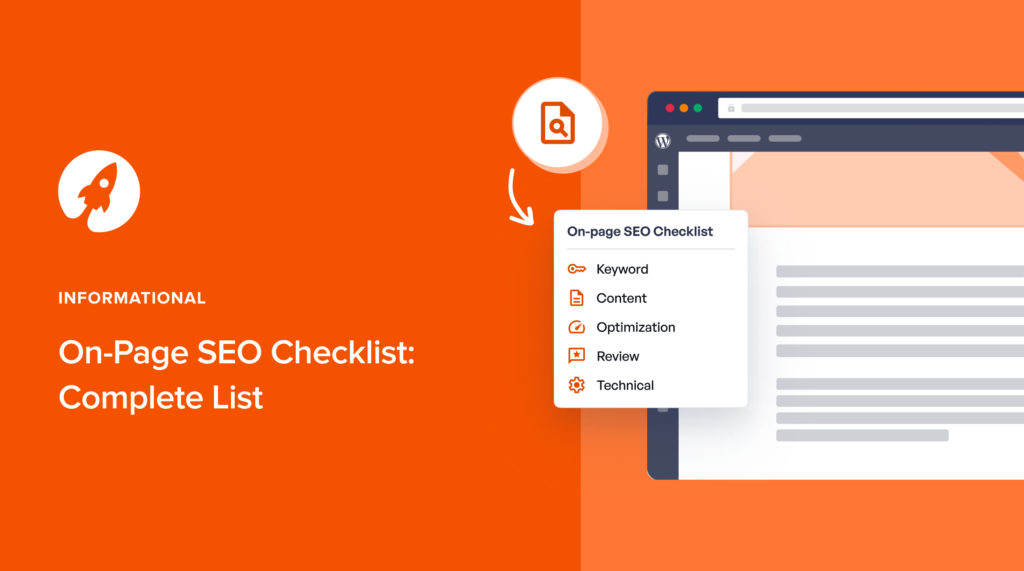
10. Final On-Page SEO Checklist
Here’s a simple checklist to follow on every page:
- Primary keyword in title
- Primary keyword in URL
- Keyword in headings
- Internal links added
- Images optimized with alt text
- Content readable and helpful
- Meta description written and enticing
- Page is mobile-friendly and fast
Frequently Asked Questions (FAQs)
1. What is On-Page SEO?
On-Page SEO refers to the process of optimizing individual webpages to improve their rankings in search engine results. It involves optimizing elements such as content, keywords, titles, headings, URLs, images, and internal links to make the page more relevant and user-friendly.
2. Why is On-Page SEO important for beginners?
On-Page SEO is important because it helps search engines understand the content of a webpage while improving the user experience. Proper optimization can increase search visibility, drive more relevant traffic, and improve engagement on your website.
3. What role do keywords play in On-Page SEO?
Keywords help connect your content with the search queries users enter into search engines. By researching and strategically placing relevant keywords in titles, headings, URLs, and body content, you improve the chances of your page appearing in search results.
4. What is search intent and why does it matter?
Search intent refers to the reason behind a user’s search query. It can be informational, navigational, or transactional. Creating content that matches the user’s intent helps search engines recognize your page as a relevant result.
5. How should title tags and meta descriptions be optimized?
Title tags should include the main keyword, remain clear and concise, and ideally stay between 50–60 characters. Meta descriptions should summarize the page content in about 150–160 characters and encourage users to click by highlighting the value of the page.
6. What makes a URL SEO-friendly?
An SEO-friendly URL is short, descriptive, and includes the primary keyword. It should use hyphens to separate words and avoid unnecessary numbers or complex parameters.
7. Why are internal links important for SEO?
Internal links connect pages within your website and help search engines understand your site structure. They also guide visitors to related content, improving navigation, engagement, and time spent on the site.
8. How can images be optimized for SEO?
Images should have descriptive file names, relevant alt text, and compressed file sizes to improve loading speed. Proper image optimization enhances accessibility and helps search engines understand the visual content of a page.
9. What characteristics define high-quality SEO content?
High-quality SEO content should be informative, relevant, well-structured, and easy to read. It should answer user questions, include clear headings, maintain logical flow, and provide real value to readers.
10. What are common On-Page SEO mistakes beginners should avoid?
Common mistakes include keyword stuffing, duplicate content, poorly structured headings, slow page loading speeds, missing internal links, and neglecting mobile optimization. Avoiding these issues improves both rankings and user experience.
11. Conclusion
On-Page SEO is a foundational skill for anyone looking to improve website visibility. While it may seem complicated initially, following a structured checklist ensures you cover all critical elements.
Consistency is key—optimizing every page over time will improve your search rankings, user experience, and overall website performance. Start with one page, apply these steps, and gradually expand your optimization across your website. With persistence, On-Page SEO can significantly boost your traffic and help your content reach the right audience.